We fit into your stack, not the other way around
CRM and telephony connect in 15 minutes without an integrator. The result of a breakdown goes back to where the rep works — the deal card. Anything not on the list comes in through the public API.
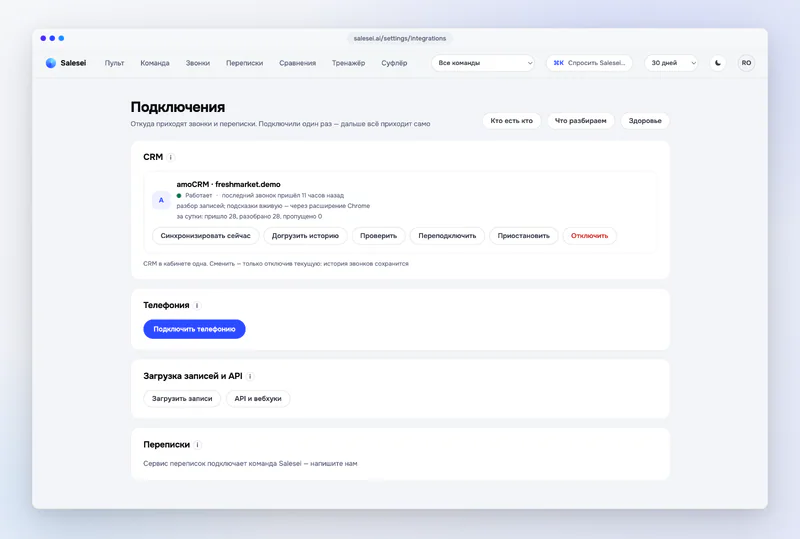
CRM
Calls, deals and staff sync on their own. The summary, fields and a “next step” task go back to the card.
Telephony
Events and recordings by key or OAuth. Only Telphin streams live audio for the prompter from the PBX itself; the others work through the Chrome extension.
 Telphinlive prompter hints + recording breakdowns · early access
 MegaFon VPBXrecording breakdowns; live hints via the Chrome extension
 MTS / MTT (Exolve)recording breakdowns; live hints via the Chrome extension
 Kcellrecording breakdowns; live hints via the Chrome extension
 Kazakhtelecomrecording breakdowns; live hints via the Chrome extension
 Altelrecording breakdowns; live hints via the Chrome extension
 Freedom Telecomrecording breakdowns; live hints via the Chrome extension
 Mango Officerecording breakdowns; live hints via the Chrome extension
 Zadarmarecording breakdowns; live hints via the Chrome extension
 Novofonrecording breakdowns; live hints via the Chrome extension
 UIS / CoMagicrecording breakdowns; live hints via the Chrome extension
 Sipunirecording breakdowns; live hints via the Chrome extension
 Binotelrecording breakdowns; live hints via the Chrome extension
Chats
Telegram works through a partner quality-control service. Other channels are in development.
Meetings
The prompter hears the meeting tab and your microphone through the Chrome extension — no integration with the services themselves is needed.
Without an integration
You can start in a minute — without a CRM or telephony.
For developers
Your own telephony, your own CRM or your own agent — connected without custom work on our side.
What goes back to the CRM
After every scored conversation — by the team's rules, with a preview before enabling and never over what a person filled in.
Questions about connecting
My PBX isn't on the list. What now?
How long does connecting take?
Do you download the recordings?
Can I connect several sources?
How many deals sit in your CRM without a next step right now?
Connect your CRM — Salesei fills in the cards after the very first breakdown.
Ask about connecting
Tell us which CRM and PBX you use — we'll reply with how to connect within a day.